


4.6/5 real reviews via

The only time management tool that connects your tasks to your billing and custom productivity reports — No employee monitoring.

How to use it — it’s really easy

Set it up in minutes and your team gets it on day one. No spreadsheets, no bureaucracy.

1

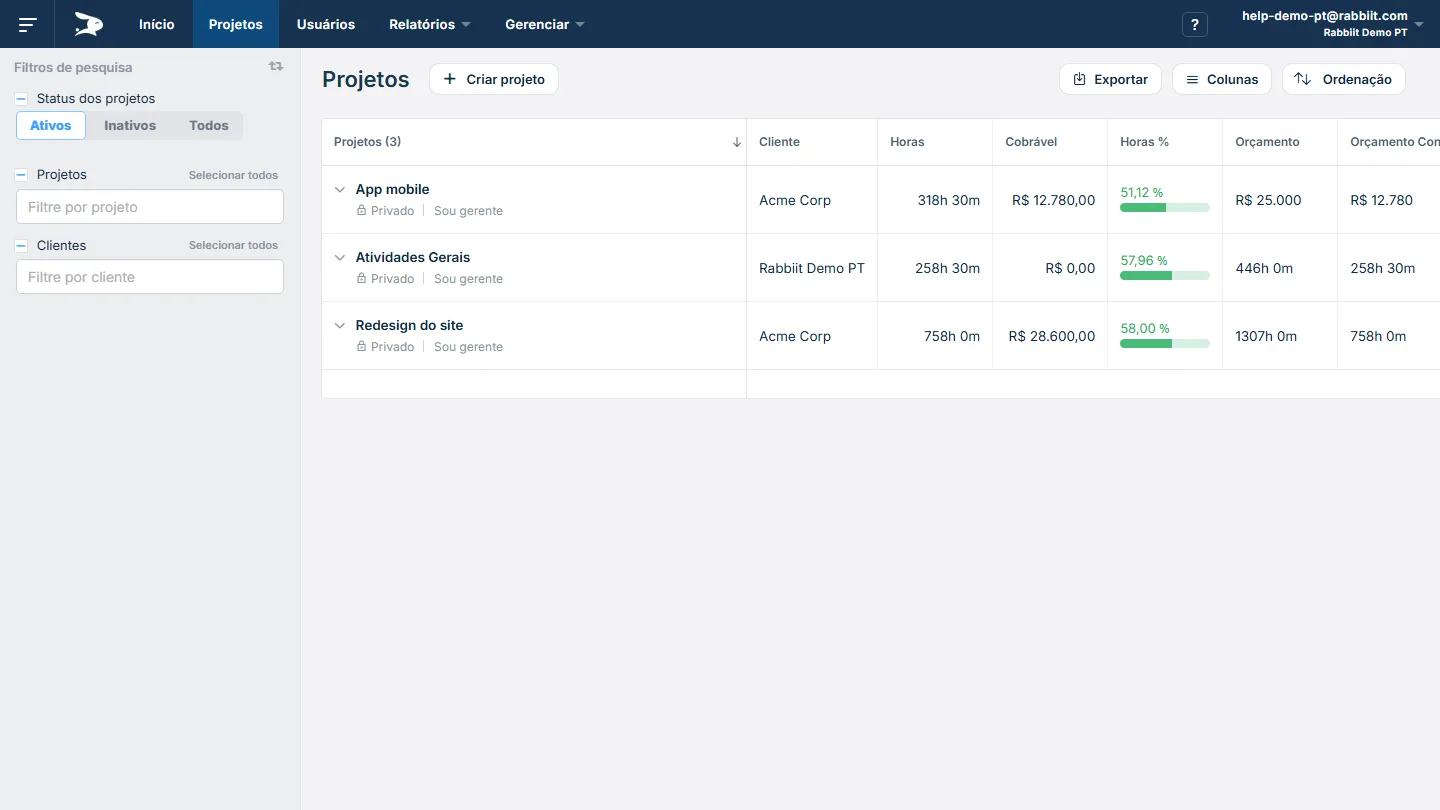
Add clients and projects

Create the essentials and start. Refine later — without blocking your flow.

  • Create projects
  • Add your team
  • Define tasks
  • Start solo or with a team

Track hours

Timer or quick entry. Logging stays lightweight (and reliable) for everyone.

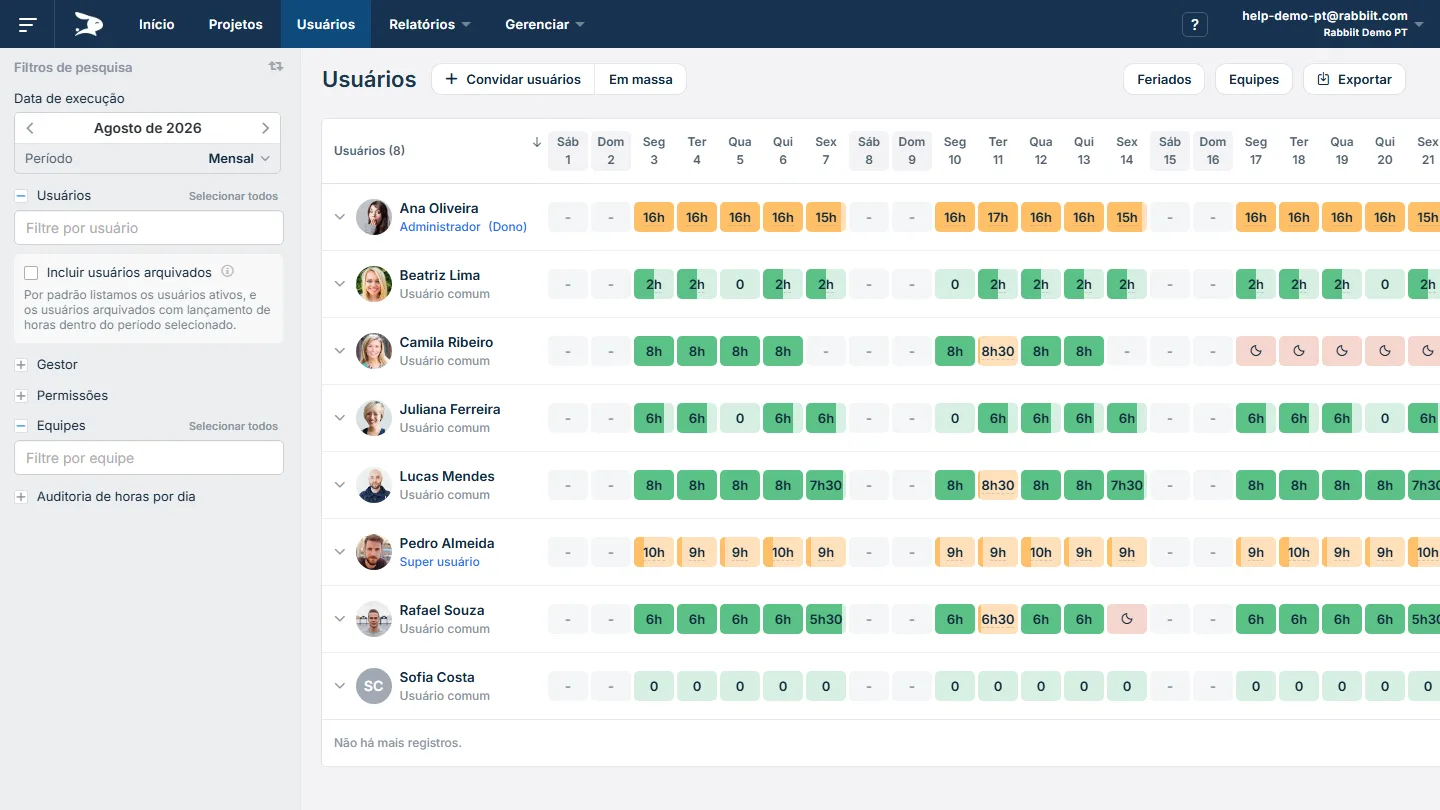
  • Log hours manually or with a timer
  • Rabbiit calculates in real time

See reports and bill better

Turn hours into clarity: budgets, progress, and billing without rework.

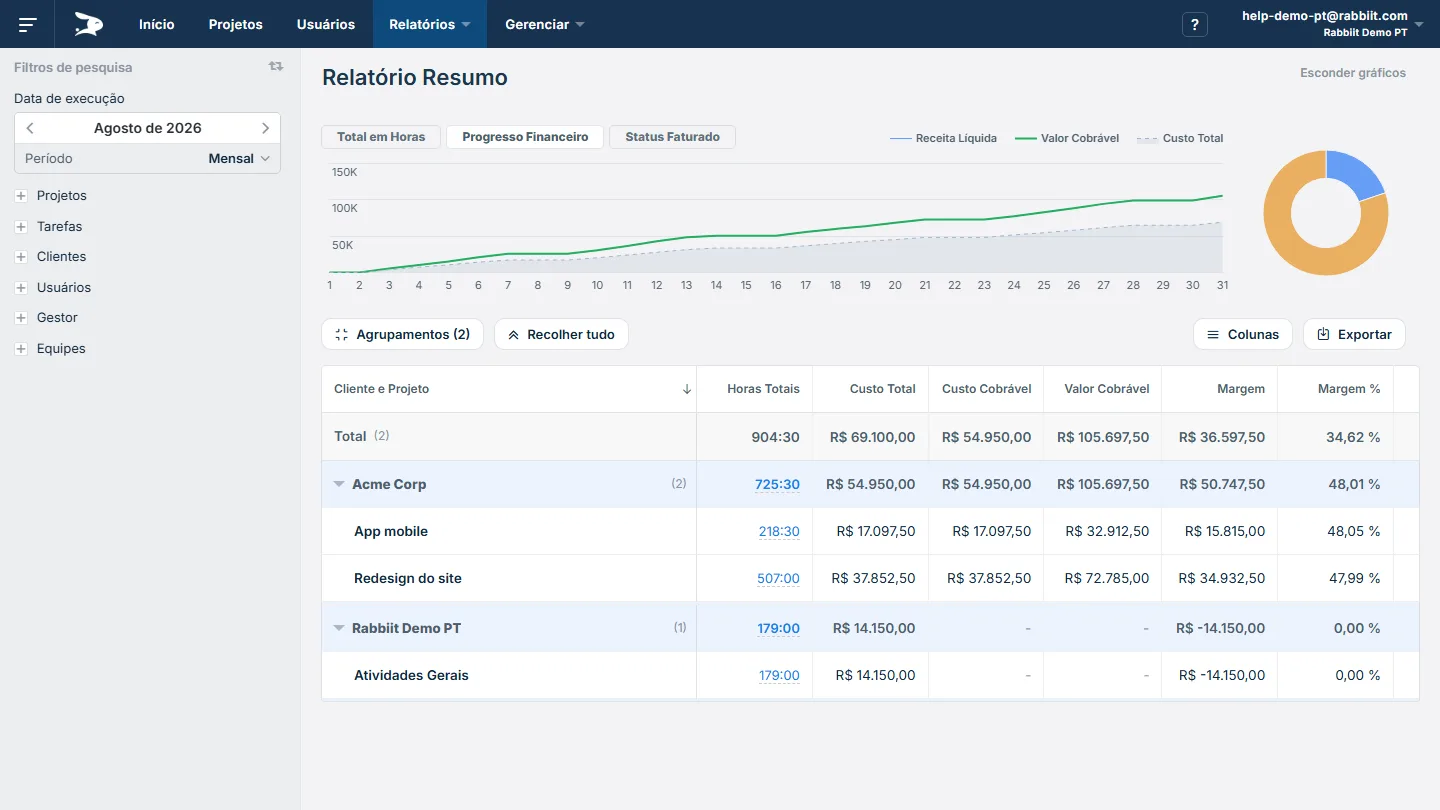
  • See projects within budget
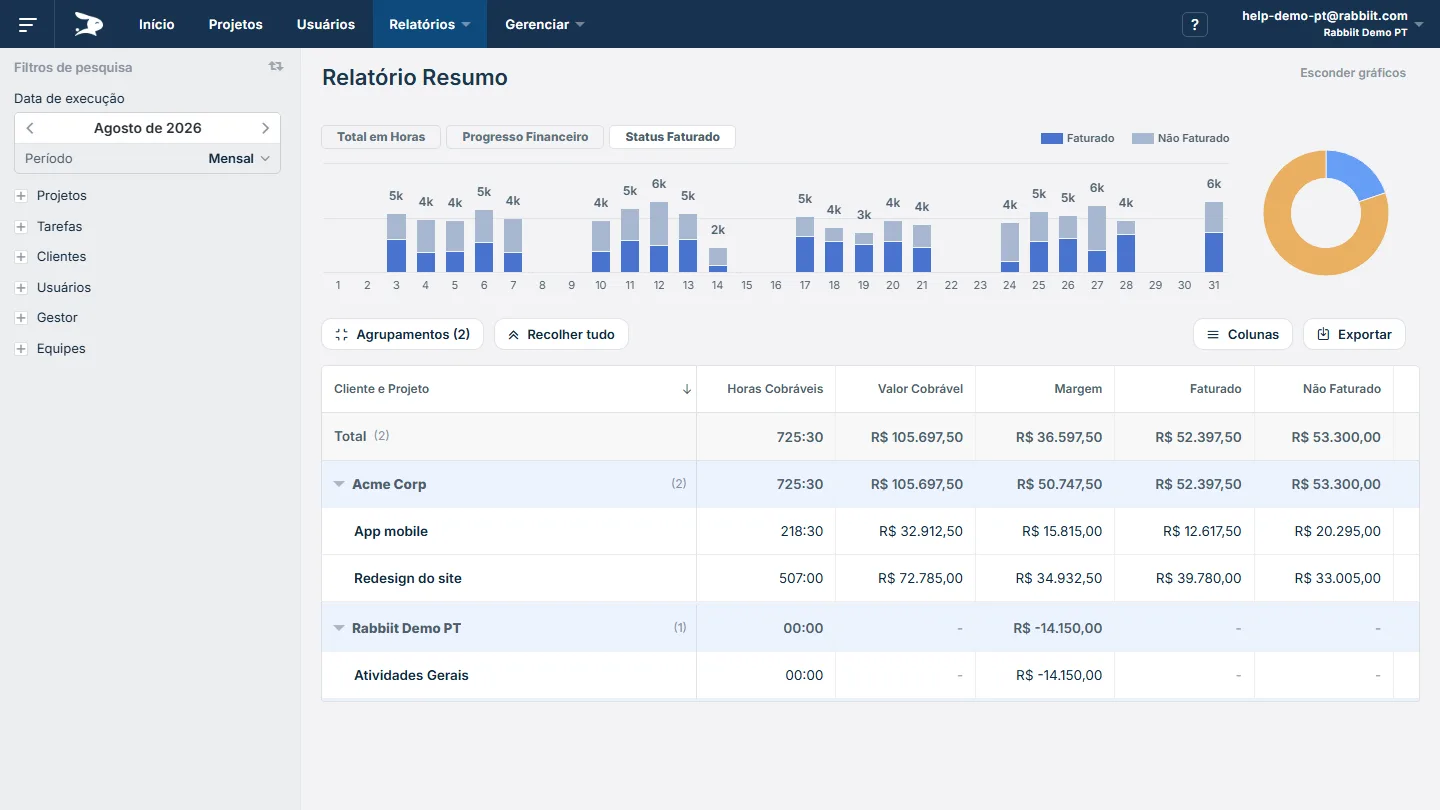
  • Get insights on time spent
  • Generate formatted reports for billing

Mais de 7 Milhões de horas de trabalho gerenciadas. Temos a confiança de grandes organizações.

Still have questions about Rabbiit?

Ask your favorite AI about Rabbiit

Choose the assistant you already use and get a personalized analysis.

or would you rather talk to a person?
Chat with support

What our customers say

Rabbiit was implemented to facilitate centralizing time logging. Before we had individual notes and a lot was lost along the way. We adapted well and now we can measure time for new projects.

Raíssa A., Architecture Firm Partner

Practical and easy to use! Using Rabbiit improved my perception of how much time I spend on activities so I can plan better, and it's a great tool to present to clients and prove hours and charge fees.

Larissa C., Law Firm Partner

With many factors affecting time entry, it has become an essential tool for managing expenses and revenue related to hours worked across different clients, projects and tasks. Plus the interface for entering time is user-friendly.

Guilherme Medeiros, Director of Operations at Prime Control
See all testimonials

Frequently asked questions

What is Rabbiit?

Rabbiit is a time tracking, project management and billing software in one place. It brings together timesheet, budget per project, task tracking and profitability reports, so teams and managers can stop using spreadsheets and have a clear view of time worked and what can be billed.

Why is Rabbiit the best time tracking software?

Rabbiit brings together time tracking, projects, tasks, budget and billing in one tool — no spreadsheets and no friction with the team. You stop paying for multiple tools and reworking data.

We are flexible: the tool grows with your team. You get granular permissions to match your company hierarchy and custom fields on users, projects, clients and time entries to adapt the tool to your processes.

You also get PDF reports with your logo, exports in multiple formats, API for integrations and AWS infrastructure — enterprise-grade features for SMBs.

Since 2014, consultancies, agencies and SMBs have used Rabbiit to manage time, control margin and bill with confidence.

What types of companies and professionals use Rabbiit?

Rabbiit is used by consultancies, architecture and engineering firms, software developers, project managers, marketing and advertising agencies, legal and IT consultancies, accounting firms, designers, freelancers and many other profiles who need to control hours, projects and billing. Most customers are small and medium-sized businesses (SMBs), but we also have teams with over 100 employees using the tool.

How does time tracking work in Rabbiit?

Time can be logged in two ways: with a timer (stopwatch that records time in real time) or manual entry (entering project, task and hours). Rabbiit calculates everything in real time and keeps history by project and client, enabling usage, budget and billing reports without rework.

What is the difference between using Rabbiit and spreadsheets for time tracking?

With Rabbiit, hours stay in one place, linked to projects and clients, and reports are generated automatically — budget, progress and billing. No need to consolidate spreadsheets, fix formulas or waste time on rework. The team logs in seconds and the manager sees in real time what is within budget and what can be billed.

Does Rabbiit generate reports ready for client billing?

Yes. Rabbiit generates custom PDF reports with your logo, professionally formatted — saving time on formatting to send to the client or use as the basis for invoices. You set hourly rates per project or team member and the system calculates the amount to bill. Besides PDF, you can export to CSV and Excel for analysis or integrations. You get full transparency on what was delivered at each stage, without rework.

Can you do estimates and project budgeting in Rabbiit?

Yes. In Rabbiit you set the project budget in two ways: as amount to bill (expected revenue) or as hours estimate (planned hours). The system tracks consumption, progress and variance in real time, so you can avoid overruns before they become losses and keep margin under control.

Can you create task lists and a Kanban board in Rabbiit?

Yes. Rabbiit offers task management with activity lists per project and a Kanban board to visualize flow (To-do, In progress, Done). You can switch between list and Kanban views, assign owners, due dates and estimates, and log time directly on the task — all integrated with time tracking.

How much does it cost? Does Rabbiit have a free plan?

Cost: Paid plan price depends on number of users and period (monthly or annual). You can simulate the amount on our pricing page.

Free plan: Yes. Rabbiit offers a free plan with limited features and a 14-day free trial of paid plans, no credit card required. You can try the full tool and, at the end of the trial, subscribe to a paid plan or stay on the free one.

How do I start using Rabbiit?

Just create your account for free — we don't ask for a credit card for the trial. Then add clients and projects, invite your team and start logging hours (timer or manual). You can try the paid plan free for 14 days and, if you like, stay on the free plan or subscribe to a paid plan when it makes sense.

API and security

Does Rabbiit allow restricting what each user sees and edits?

Yes. Rabbiit has access profiles and granular permissions: you define what each team member can see and do — for example, which projects they can access, whether they can edit others' hours or only their own, and whether they see financial reports. There is also a super user option for those who manage only specific projects or teams.

Does Rabbiit have an API?

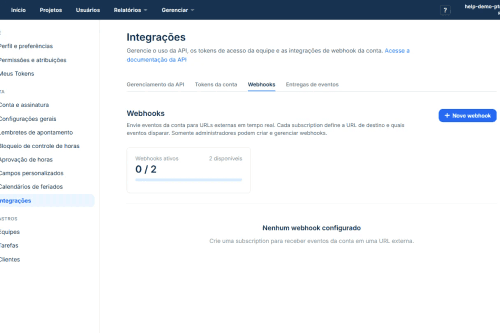
Yes. Rabbiit has a REST API to connect your time and project data to your ecosystem. With it you can automate workflows, integrate with ERPs, BI tools or internal systems, and extract data for dashboards and analysis. Documentation is available at api-docs.rabbiit.com.

Can you integrate Rabbiit with Power BI, Tableau or an ERP?

Yes. Via the Rabbiit API, you can connect hours and project data to BI tools (such as Power BI and Tableau), ERPs, financial management or any application that consumes REST APIs. Your data stays in sync and you can build custom dashboards and reports in the system you already use.

Is Rabbiit secure?

Yes. We use AWS (Amazon Web Services) infrastructure, which has multiple certifications and security resources. Rabbiit follows data protection practices: encrypted communication (HTTPS), secure authentication and access controls. The infrastructure is designed to maintain the confidentiality and integrity of your team's and your clients' information.

Can we trust Rabbiit with our data?

Yes. Rabbiit has been used by hundreds of companies since 2014 to store hours, project and billing data. We handle data responsibly, with access controls and granular permissions, and you keep ownership of your data. Our privacy policy and security policy detail our commitments and practices.

Is my company's data protected?

Yes. Data is stored on AWS infrastructure, which provides multiple certifications and security resources. Access is only according to the permissions you set for each user — you control who sees projects, reports and hours. Rabbiit also supports compliance and data protection best practices (such as GDPR), with configurable access levels and transparency on how information is used.