



Rabbiit API
Another system reads and writes account data: time entries, projects, and reports. You call the API when you need it. Rabbiit fires the webhook on its own when the event happens.
You need a Rabbiit account. Create account
What the API does
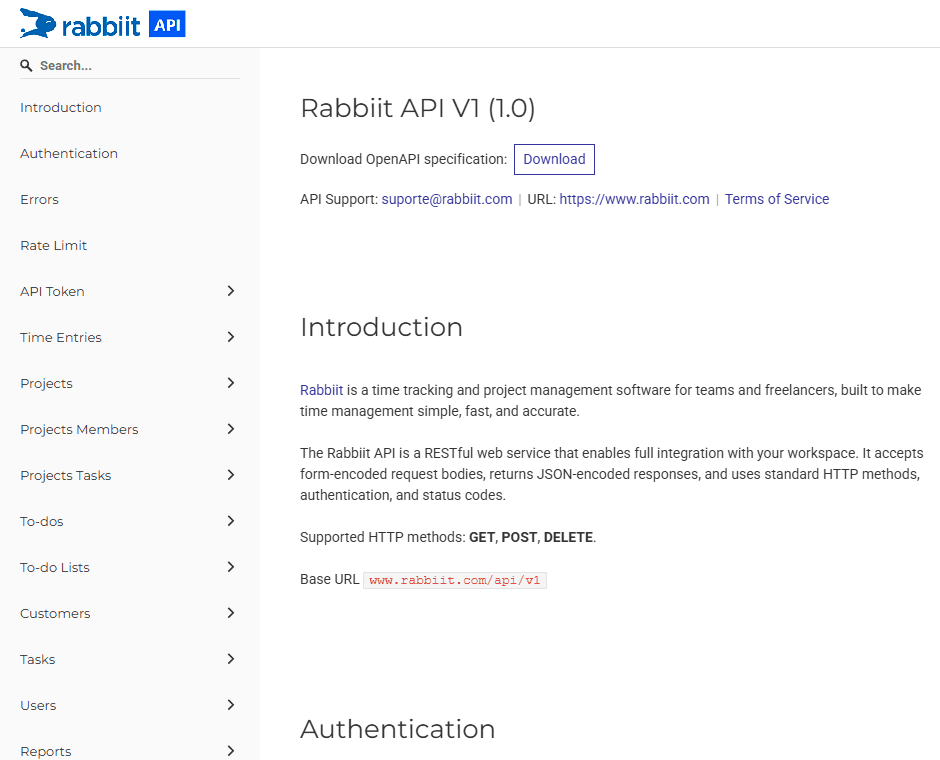
The API is a REST service. The other system sends the token in a header and receives JSON. Whoever has the token operates with the same permission as the person who created the key.
It is for pulling a report, syncing a catalog, or writing a time entry on demand. The base is `www.rabbiit.com/api/v1`. The methods are GET, POST, and DELETE.
Endpoints, authentication, and daily limits are at api-docs.rabbiit.com.
One token per integration
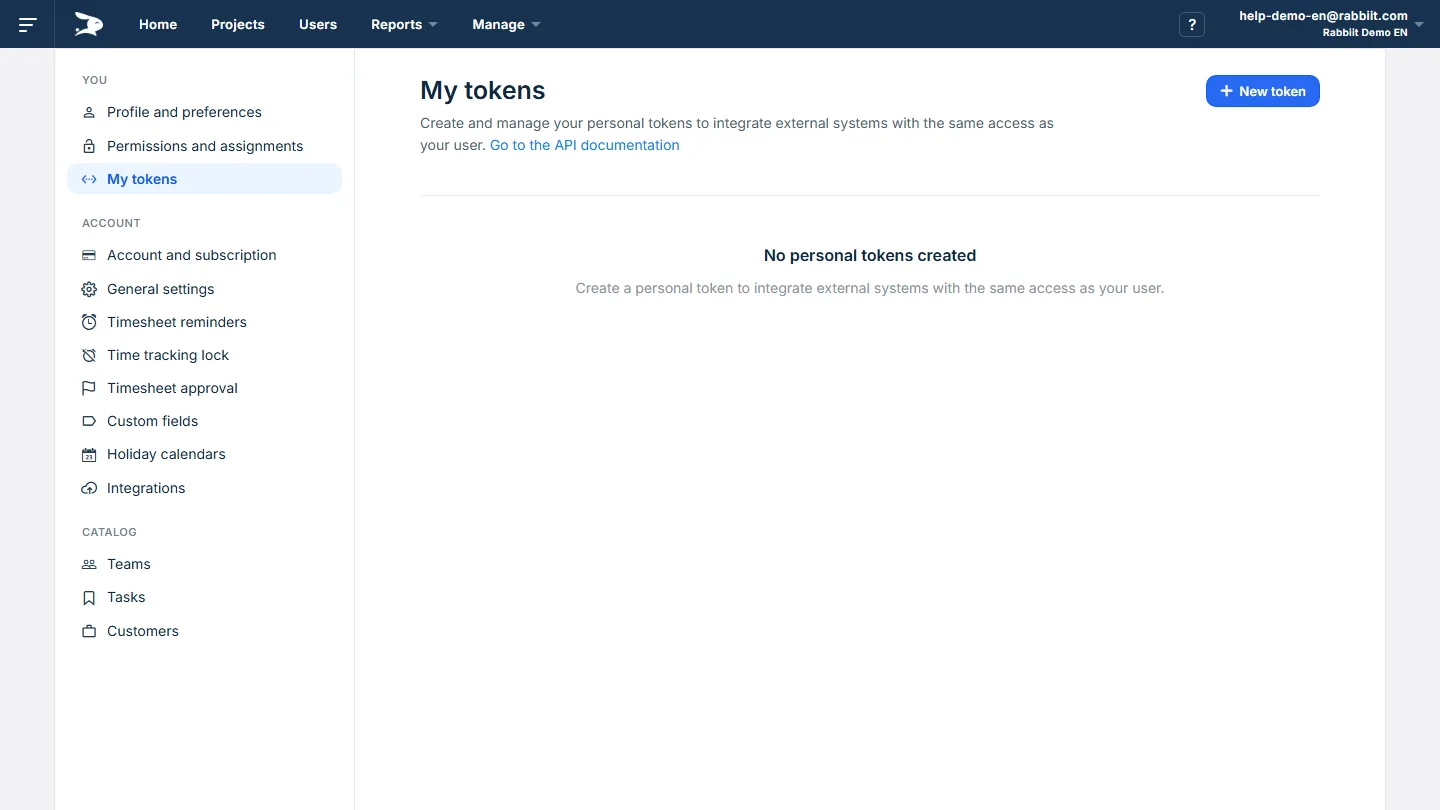
Each integration uses an access token. On create, the value appears once. Use one token per destination and revoke it when the access ends.
The administrator follows daily usage under Settings > Integrations and can revoke anyone’s token. Creation stays under You > My Tokens. The daily limit is shared by the account.
The steps are in How to use the API and access tokens.
When the other system needs to react
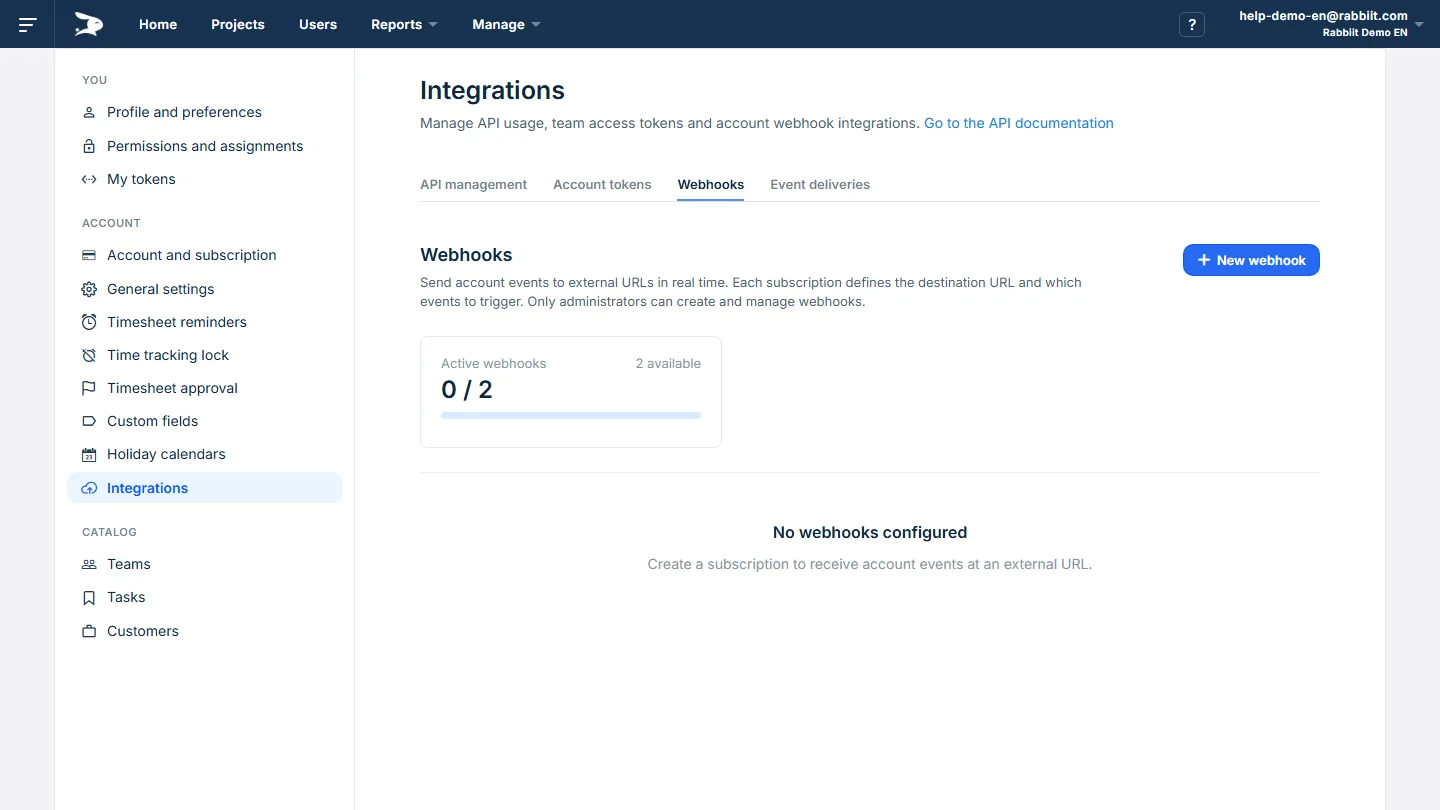
The API answers a call. The webhook notifies on its own, for example when an hour is logged, a week is approved, or a project is created. The administrator registers the URL and chooses the events.
Use the API to pull or write on demand. Use the webhook so the other system reacts at once. The steps are in How to use webhooks.
The data still closes the project
The integration reads and writes the same hours that become timesheets, approvals, rates, cost, budget, and margin in Rabbiit. If the account integrates with nothing, the timesheet and the reports cover the day without a token.
The API takes project hours into the system the company already uses.
The other system reads and writes the same data that closes the timesheet, cost, and margin.
Read hours already logged
Pull hours by person, day, task, and project when the other system needs them.
Follow the approved week
The week approved in Rabbiit remains the basis for closing the month.
Use the billable rate
The hourly rate stays on the entry the API returns.
Know what has been billed
Mark what has been billed and export it to the company's finance tool.
Take the labor cost
Turn worked hours into the team's actual project cost.
Check the budget
Track how much of the project budget has already been used.
Compare planned and actual
Compare planned and actual hours before the project runs over.
Help center links
How to create a token and when to use a webhook.
FAQ
What does the API do?
It lets another system read and write time entries, projects, and reports on the account, on behalf of a user. Each call carries an access token.
What is the difference between the API and a webhook?
You call the API when you need the data. Rabbiit sends the webhook on its own when the event happens.
Do I need a token for each integration?
Yes. One token per destination. The value appears once when you create it. Whoever has the key has the same access as the person who generated it. Revoke it when the use ends.
Where is the documentation?
At api-docs.rabbiit.com. Endpoints, authentication, and request limits are there.
Do I need to issue the invoice through the API?
No. The API records and reads hours. In Rabbiit, mark what has been billed and export it to the finance tool the company already uses.
Is this attendance tracking or monitoring?
No. It is project time tracking. Rabbiit does not take screenshots or monitor what people do on their computers.
Rabbiit
Try Rabbiit free
14 days on the full plan, no credit card. The permanent Free plan covers 2 users.
Start for free